Article content


Some IT requests never really change. Someone needs access. Someone forgot a password. A laptop changed hands three months ago but never left the spreadsheet. And right when things finally calm down, another audit appears on the horizon. ALVAO 26.2 focuses on reducing exactly this kind of operational noise.
This release brings AI closer to everyday work, simplifies inventory operations, and opens new ways to connect ALVAO with Microsoft Copilot and external AI assistants.
The goal is straightforward: fewer repetitive tasks, clearer visibility, and more time for work that actually needs human attention.
Want the full technical rundown?
Check out our user guide for all the details about what's new in ALVAO 26.2, which includes configuration changes, features, and admin tips.
1. AI that works naturally inside ALVAO – Preview*
AI should reduce busywork, not create another tool to manage.
ALVAO 26.2 brings AI directly into daily workflows across Self‑Service, Service Desk, and Microsoft Copilot.
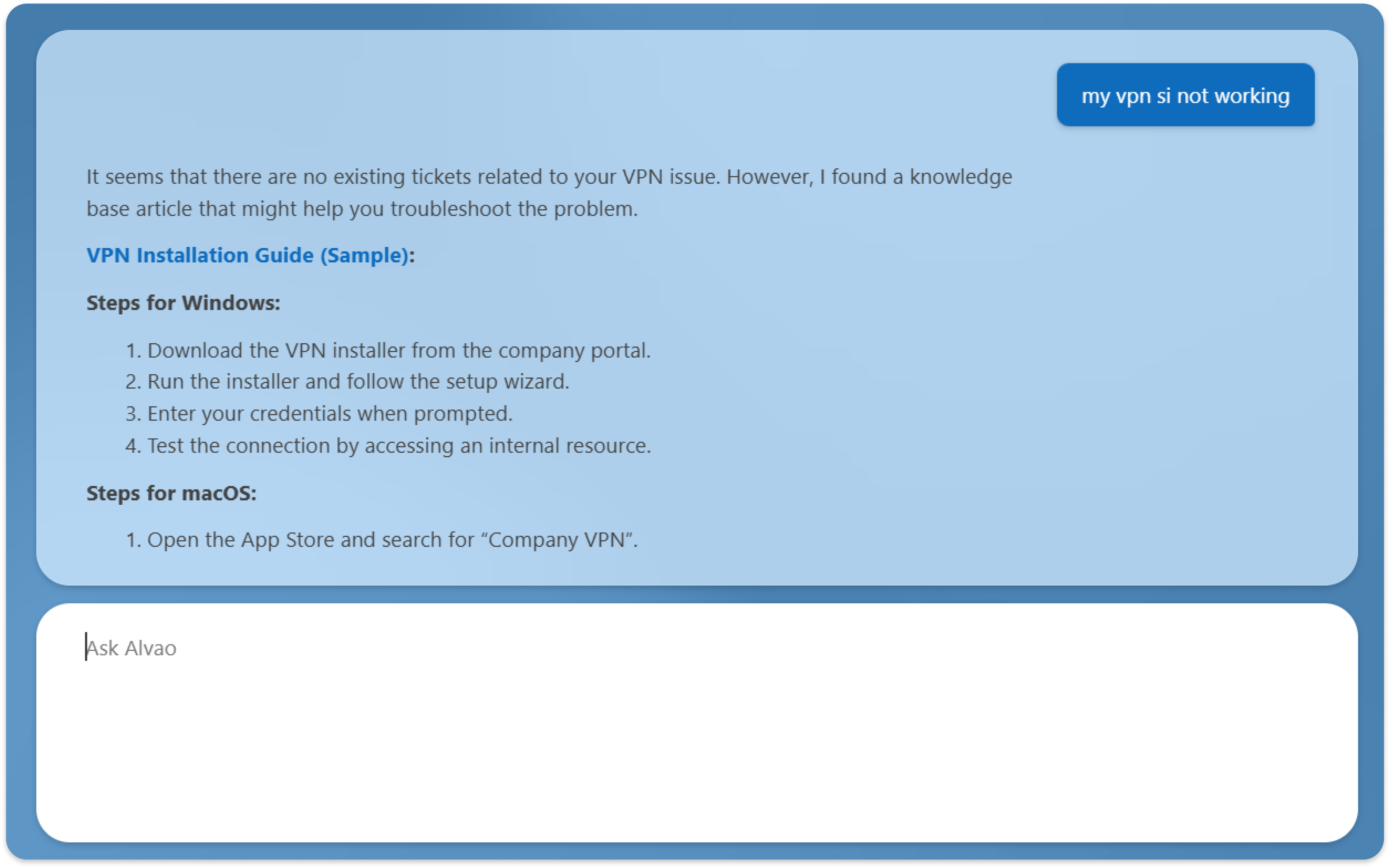
AI within the ALVAO WebApp
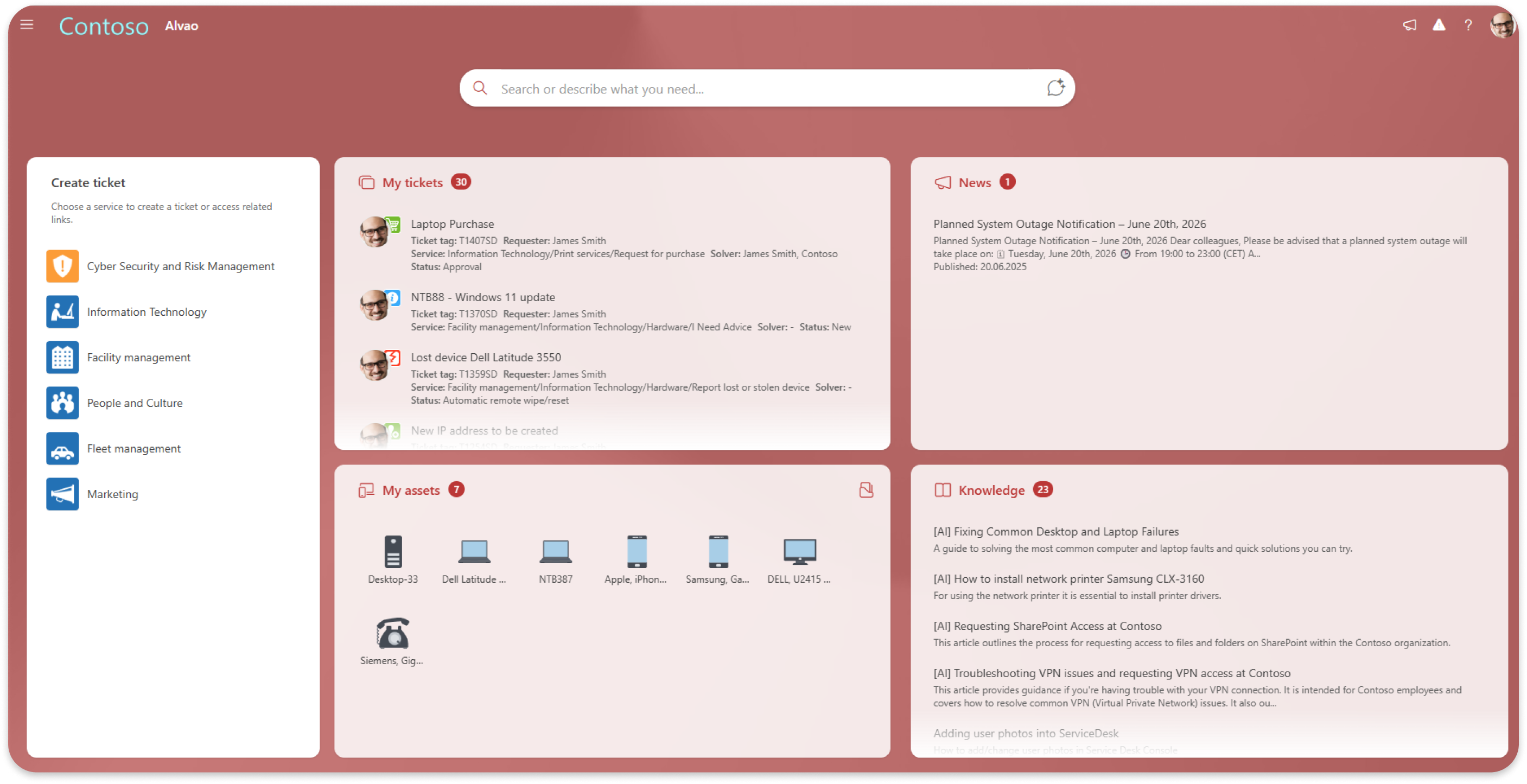
The Self‑Service homepage includes a unified AI search and chat field.
Users can ask questions naturally and immediately receive contextual answers together with related tickets, services, knowledge articles, and assets. Standard search results remain visible for transparency and control.
- Semantic AI search also improves how users find information by understanding the meaning behind questions instead of relying only on exact keywords.
What it means for you
Employees get answers faster and support teams spend less time on repetitive Level 1 requests.
MS Copilot connector– Preview is coming soon*
Access ALVAO directly from Microsoft Copilot. Using a natural, conversational interface, you can retrieve information, trigger actions, and manage your work without opening the ALVAO portal.
What it means for you
Quickly check the status of your requests and access details of assigned tickets directly in Copilot, so you can stay informed and prioritise your work more efficiently.
ALVAO MCP Server – Preview is coming soon*
The ALVAO MCP Server enables secure integration between ALVAO and external AI assistants such as Copilot, Gemini, or internal AI tools.
It supports access to ALVAO data and approved operational actions across Service Desk and Asset Management.
What it means for you
Your organization can build AI workflows around ALVAO while maintaining governance and operational control.
*Interested in trying this? Contact Technical Support to join the Preview.
2. Tasks, workflows, and operational clarity
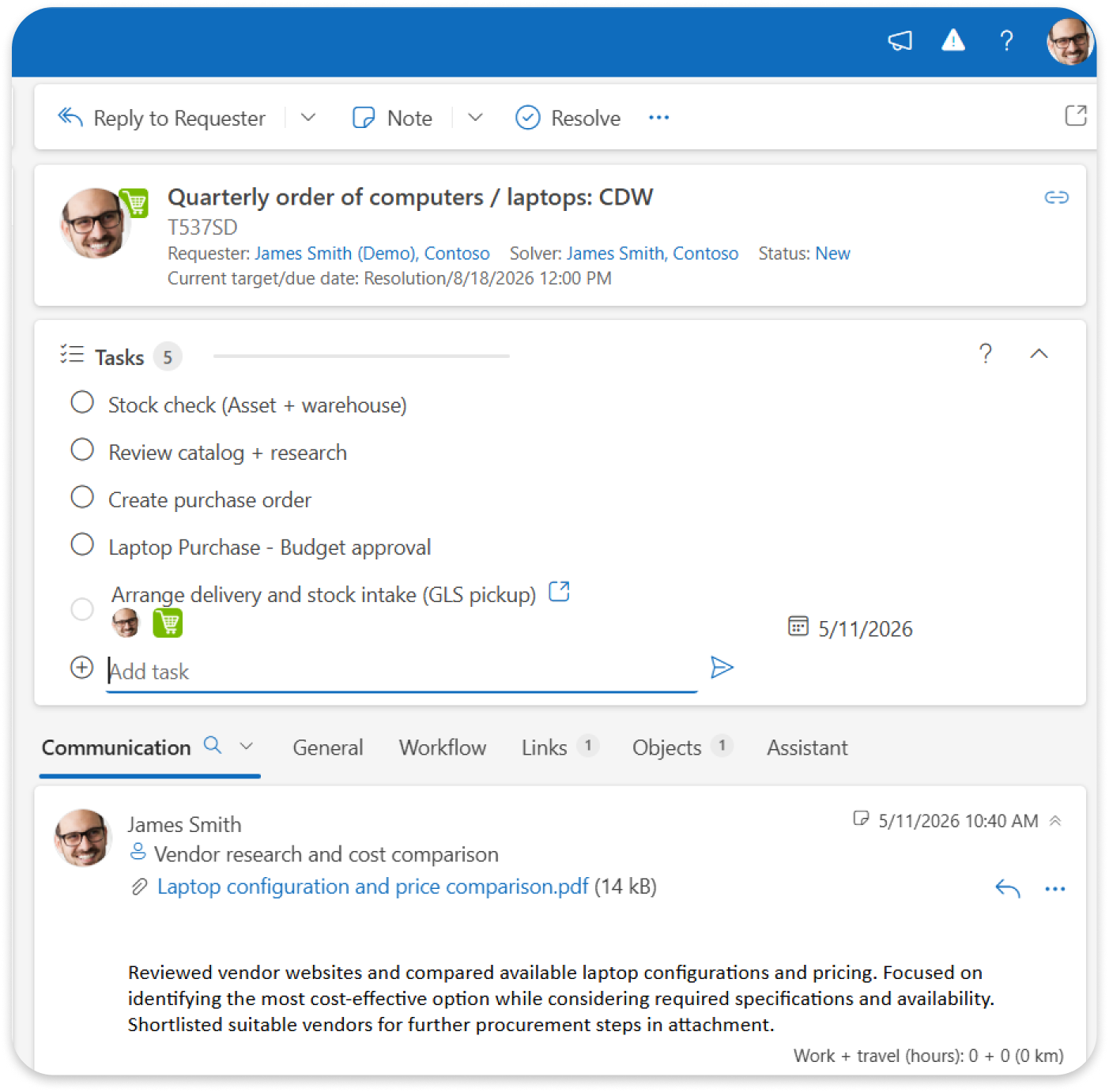
Tasks for Tickets – Insider Preview*
Tickets can now include structured to-do lists with due dates and progress tracking. You can also use predefined templates for recurring processes. If a ticket has related child tickets, they are shown in this checklist to keep all work in one place.
What it means for you
Create task lists directly in tickets, set due dates, and track progress by marking items as completed as work moves forward.
*Want to test new features before their official release? Join the Insider Preview program.
It only takes a few clicks:
- Activate the Insider Preview mode in Settings.
- Assign the Insider Preview testers group to the users you want to give access to.
And you're done, you will get immediate access to upcoming features. If you need any help with the setup, just let us know.
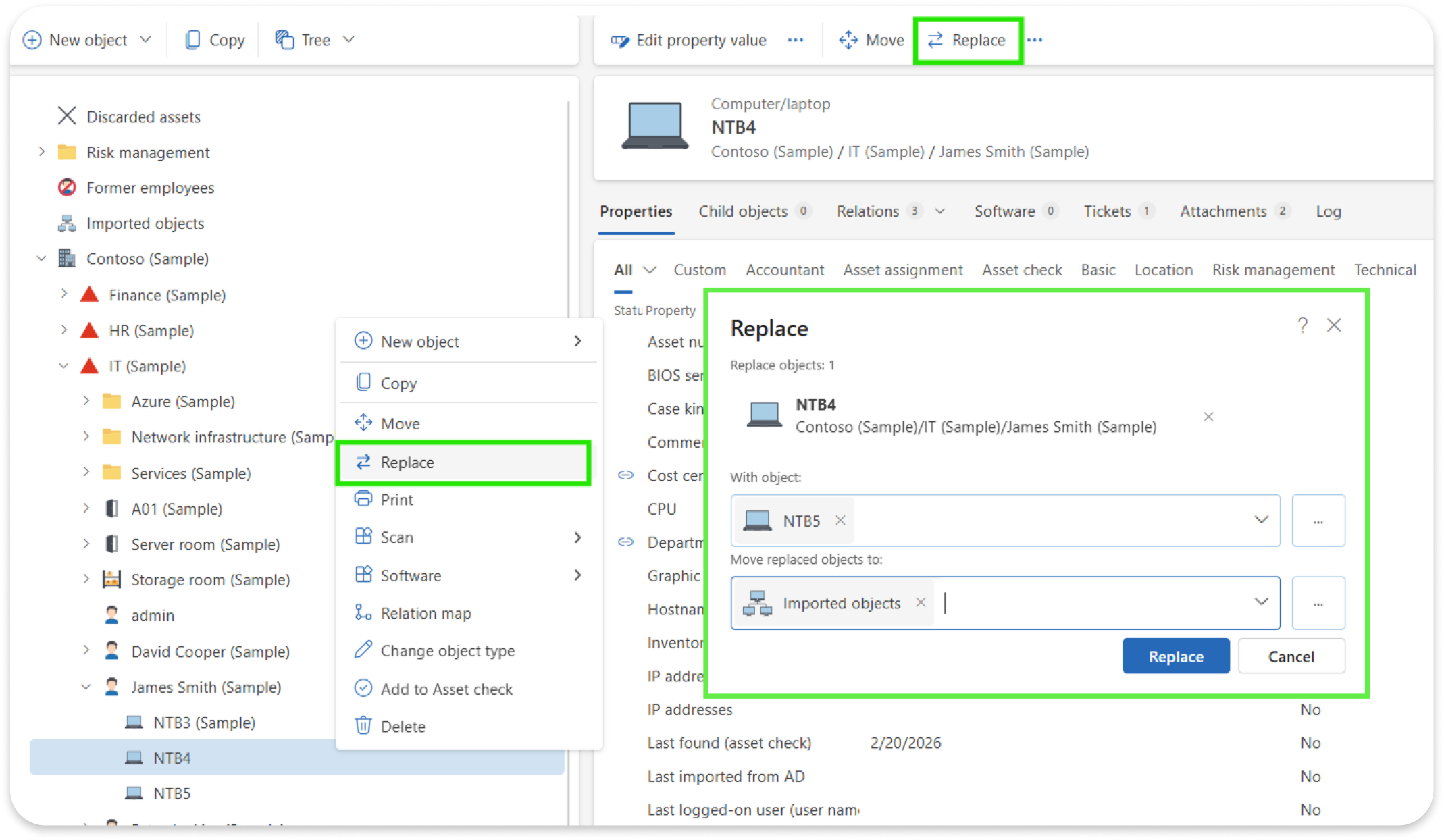
Replace Configuration Items in the CMDB
A new “Replace relations” action allows teams to replace one configuration item with another while automatically preserving relationships and dependencies.
What it means for you
CMDB updates during hardware replacement become faster and less error‑prone.
3. Better communication and global readiness
Centralized Subscription Management
Administrators can manage recipients for product updates, incident notifications, and newsletter directly inside ALVAO.
What it means for you
Important operational communication stays organized and reaches the right people.
Localization into Major Global Languages
ALVAO includes localization support for English, German, Spanish, French, and Portuguese and other languages.
What it means for you
International teams can work in a more familiar environment with lower onboarding friction.
4. Asset management built for everyday operations
Asset tracking only works when daily processes stay simple.
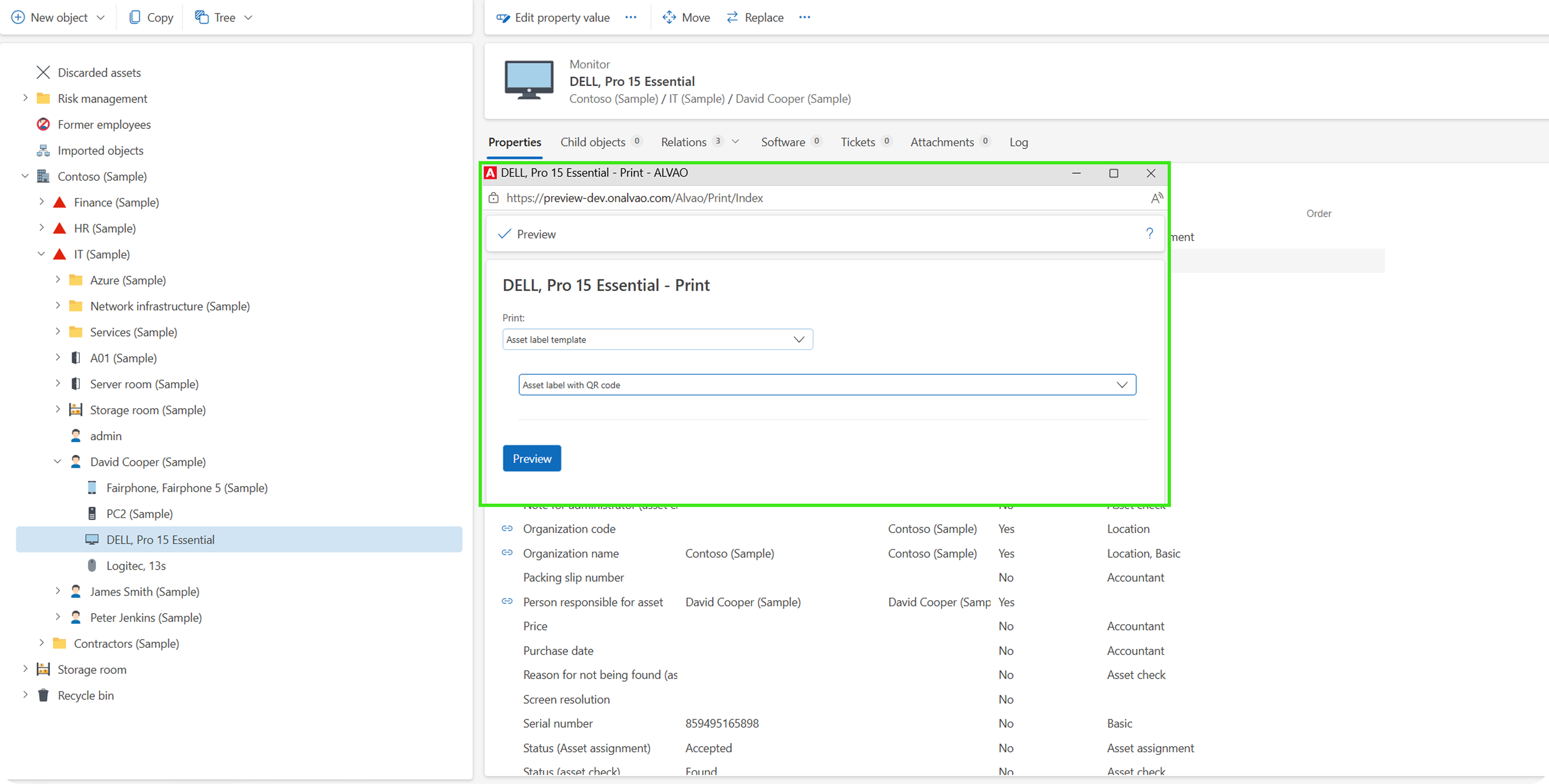
Barcode and QR Label Management
ALVAO can generate and print unique QR and barcode labels directly for managed assets.
The feature supports stocking, inventory checks, and label reprints.
What it means for
you Assets are easier to identify, scan, and verify during daily operations and audits.
Mobile App Support for Integrated Barcode Scanners
The ALVAO Mobile App supports integrated barcode scanners on Android‑based Zebra and Honeywell devices.
What it means for you
Inventory checks and warehouse operations become faster in large environments.
Asset Check in the ALVAO Mobile App
Technicians can perform location‑based inventory checks directly in the mobile app.
What it means for you
Asset managers perform inventory checks faster and with less effort, while teams gain better visibility into checked, missing, and relocated assets.
Extended Dell Warranty Details – Preview*
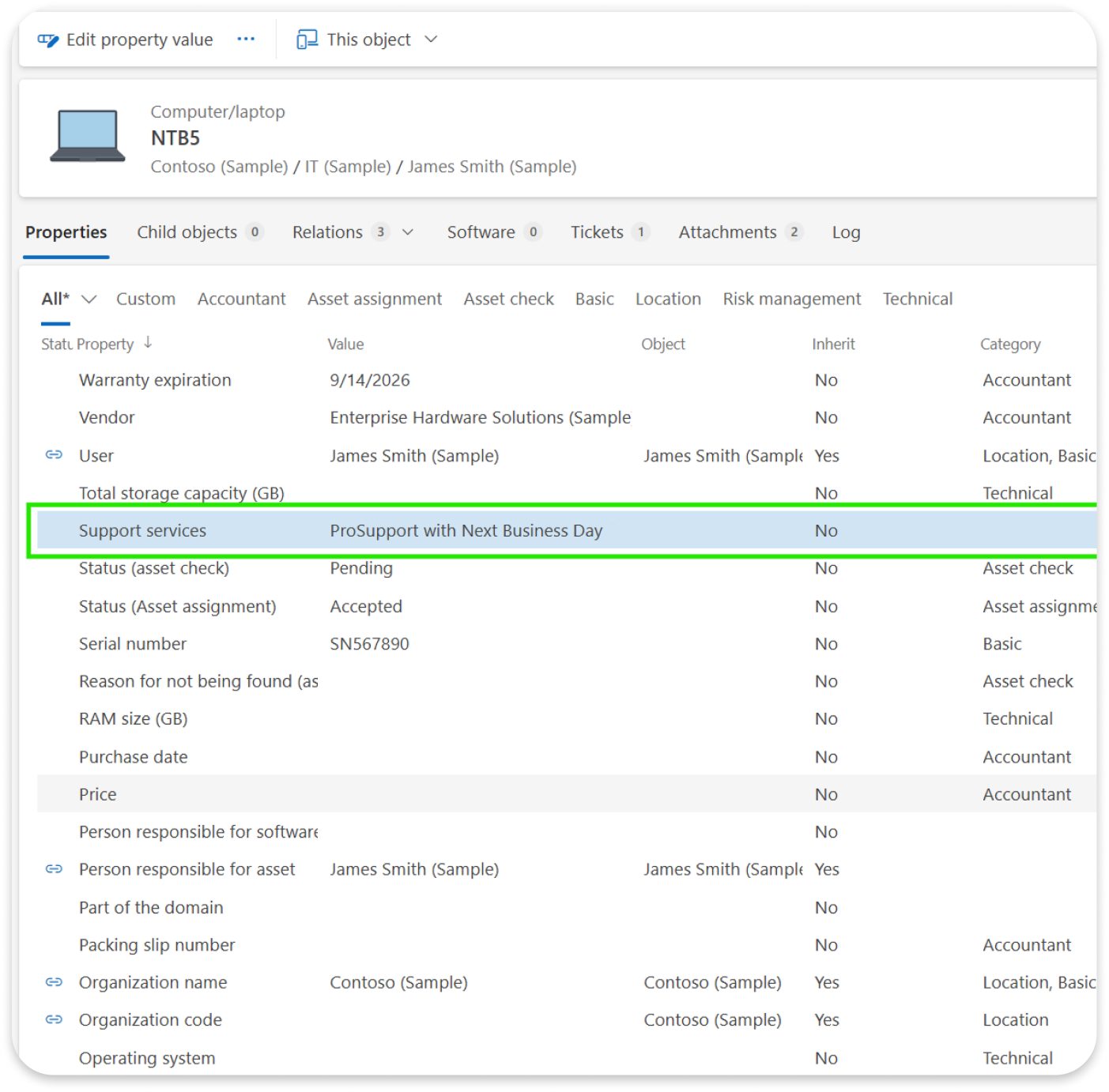
ALVAO retrieves additional Dell warranty information including support services and warranty type.
What it means for you
Support coverage details are visible directly inside asset records.
*Interested in trying this? Contact Technical Support to join the Preview.
Report Software Scan Issues Directly from Asset Management
Users can report software recognition issues directly from the Software tab of a device.
ALVAO automatically creates a linked Service Desk ticket and sends scan data for analysis.
What it means for you
Software detection issues can be reported immediately without manually contacting support.
5. Microsoft platform updates and technical improvements
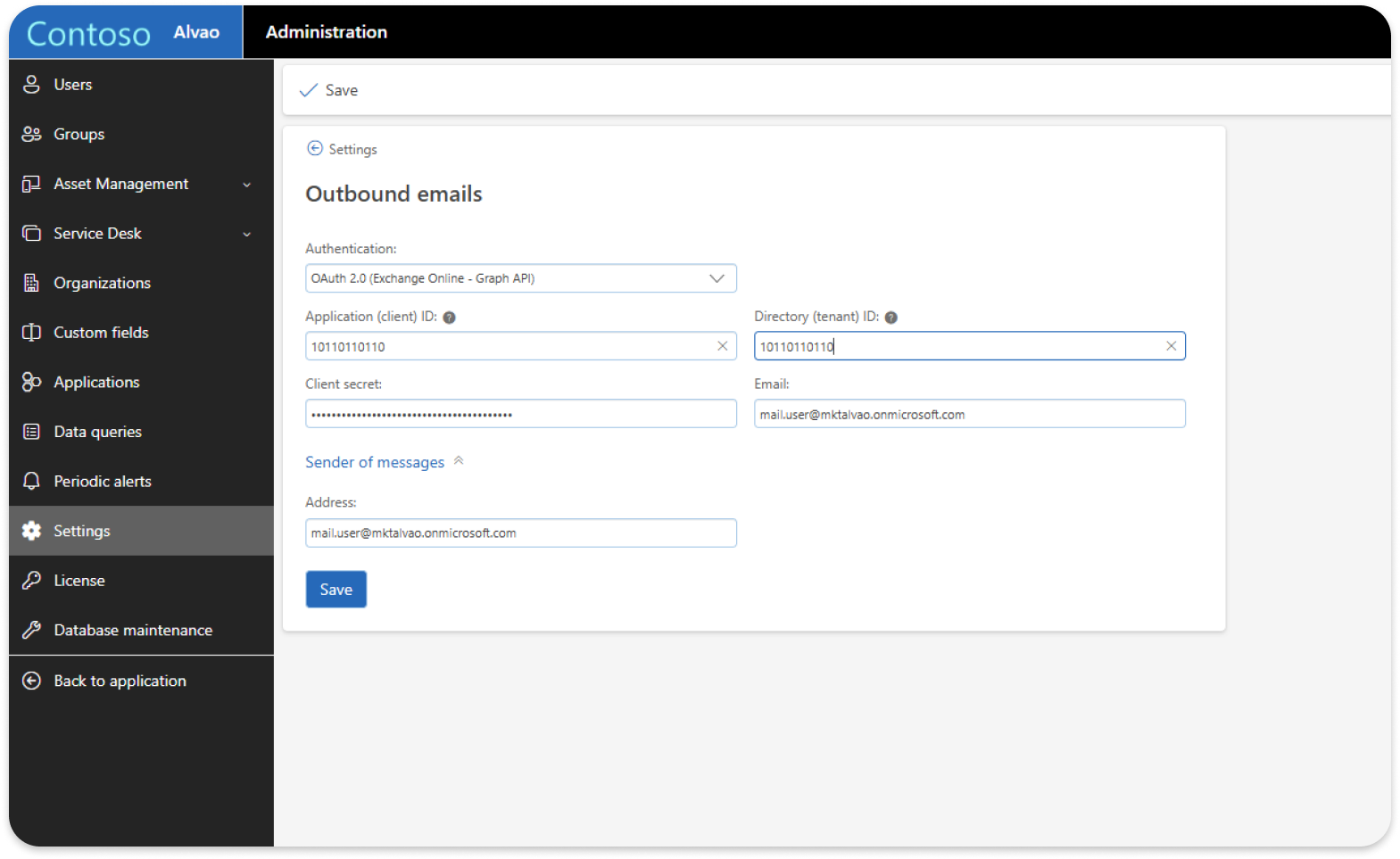
Transition to Microsoft Graph API for Mailing
ALVAO is moving its mailing functionality from EWS to Microsoft Graph API to align with upcoming Microsoft platform changes.
This includes preparation for:
- SMTP Basic Authentication retirement in 2026
- Exchange Web Services retirement in 2027
What it means for you
Your Microsoft 365 integrations stay compatible with future Microsoft requirements while improving authentication security.
6. Small details that remove daily friction
Some improvements are small on paper but noticeable every day.
Automatically Generated Backgrounds Based on Theme Colour
When a colour theme is selected, ALVAO now automatically generates a matching background image.
What it means for you
The interface stays visually consistent with less manual setup, helping administrators maintain branding more easily across environments.
Your opinion matters to us! We'd love your feedback on newly released and upcoming features!
Schedule a feedback session with Marketa - Product Analyst or send your insights to the ALVAO Ideas portal.