


If your company runs on Microsoft 365, you’re already in a good place. Users, identities, communication: all there.
But then reality kicks in:
- tickets come from email, chat, and forms
- devices live in Intune
- assets sit in spreadsheets
- reporting is somewhere else
You spend more time switching than solving.
ALVAO connects these pieces into one flow: inside Microsoft 365. Not as another layer to maintain, but as something that fits naturally into how your environment already works. This page gives you a clear overview of some of ALVAO integrations.
Each one solves a specific problem. Together, they give you control.
Integration overview
See all the ALVAO integrations listed.
Microsoft Teams Integration
Work with tickets where conversations already happen.
What you can do:
- Filter by priority or assignment.
- See open tickets and their status.
- Create new tickets without leaving Teams.
- Get support from ALVAO Bot.
ALVAO Bot provides 24/7 access to the entire self-service portal, including knowledge base articles, requests status updates, the ability to create new requests and many more, customizable according to user needs.
What changes:
You don’t chase tickets across tools. Everything is where you expect it.
Learn more about Microsoft Teams Integration.

Microsoft Intune device synchronization
Keep your asset data aligned with reality without manual updates.
What you can do:
- Sync devices from Microsoft Intune into ALVAO automatically.
- Import detailed device data (OS, version, serial number, user, model).
- Keep hardware and software records in one place.
- Map devices directly to users from Microsoft 365.
What’s happening in the background:
- Device data is updated in real time.
- Changes in Intune are reflected in ALVAO without manual import.
- Asset records stay consistent across your environment.
What changes for you:
- You don’t maintain inventory manually anymore.
- You don’t question whether the data is up to date.
- You open a ticket and you already see the device, the user and the current state.
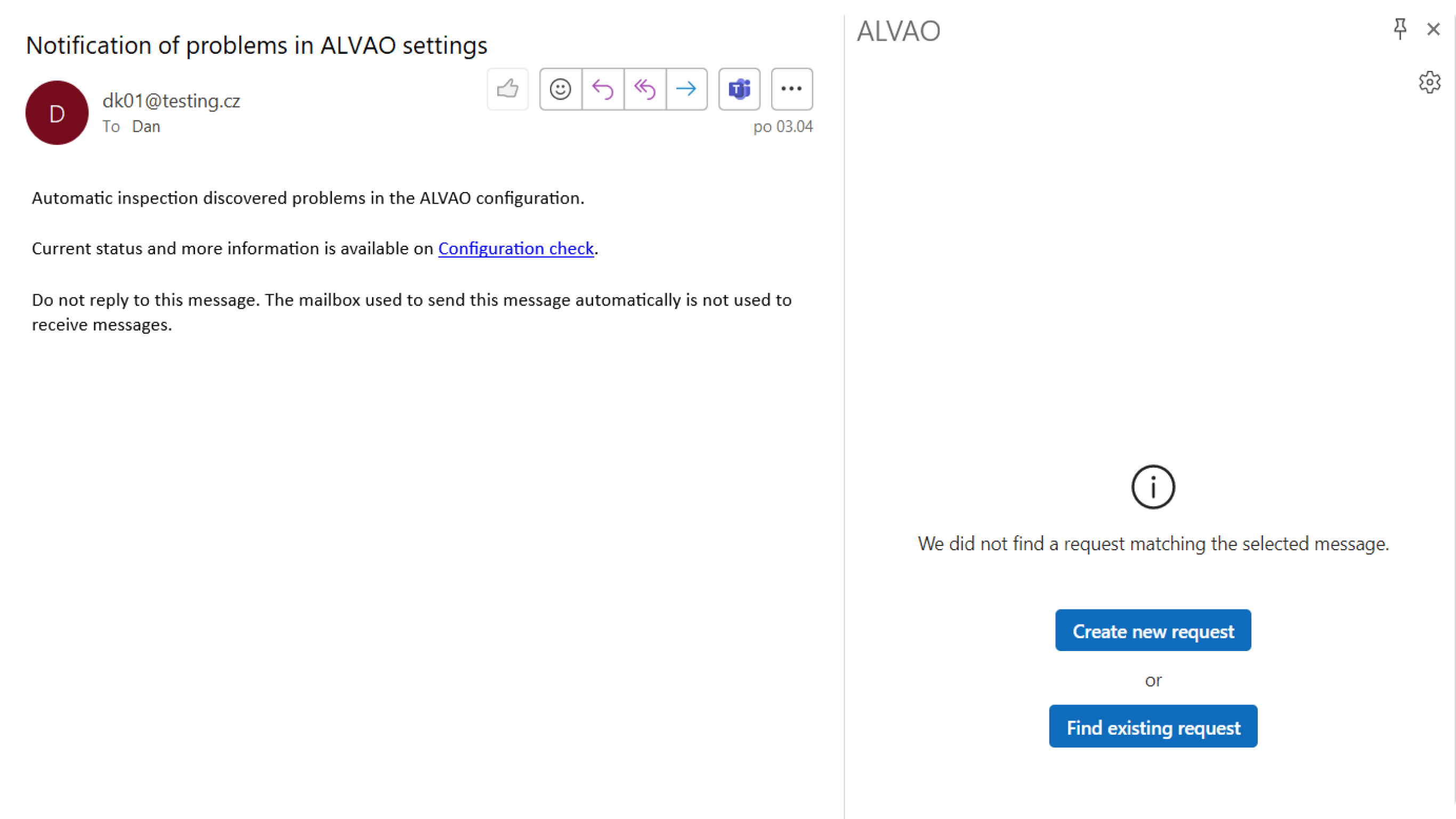
Outlook integration (add-in)
What you can do:
- Convert emails into tickets in one click.
- Attach emails to existing tickets.
- Keep full formatting, attachments, and conversation history.
- View ticket details and history directly from the inbox.
What’s happening in the background:
- Communication is automatically linked to the right ticket
- No information is lost when moving from email to Service Desk
- Everything stays stored in one place — complete and searchable
What changes for you: Your inbox stops being a hidden ticket queue.
SharePoint integration
What you can do:
- Store documentation in SharePoint.
- Link knowledge articles to services and tickets.
- Provide users with structured help.
What changes:
- Users solve simple issues themselves.
- Your team answers fewer repetitive questions.
Power BI dashboards
What you can do:
- Track service desk performance over time.
- See where requests are piling up.
- Monitor first response times and backlog trends.
- Analyze hardware lifecycle and renewal needs.
- Identify devices linked to recurring incidents.
What’s happening in the background:
- Data from Service Desk and Asset Management is available for reporting in Power BI.
- Dashboards can be adjusted to match the way your team works.
- You get one clear view of operational performance, costs, and risk areas.
What changes for you:
You don’t rely on gut feeling anymore. That makes it easier to defend budget decisions, plan renewals, spot bottlenecks early and explain IT performance with data.
Power Automate workflows
What you can do:
- Automate approvals, onboarding, and request handling.
- Trigger actions based on events in Service Desk or Asset Management.
- Connect ALVAO with other tools across your environment.
- Use ready-made templates for common IT scenarios.
- Build custom workflows that match how your team actually works.
What’s happening in the background:
- The ALVAO connector links your service desk with Microsoft Power Automate.
- Actions are triggered automatically when something changes.
- Data moves between tools without manual input.
- Processes stay consistent — no skipped steps, no missed updates.
What changes for you:
- A new employee request is approved → account is created automatically.
- A ticket reaches a condition → notification or action is triggered.
- A change is made → the next step happens without manual intervention.
Curious how this would look in your environment? Book a 30-minute demo.
We’ll walk through your setup and show how everything connects. Step by step.